What Are B2B Data Types? A Complete Guide to Contact, Company, Tech and Intent Data
Firmographic, contact, technographic, intent data explained. How real-time signals beat batch updates. Integration patterns for AI agents & automation.
Published
Written by
Chris P.
Reviewed by
Nithish A.
Read time
7
minutes
Not very long ago, B2B growth depended on relationships, referrals, and whoever happened to pick up the phone. Today, revenue teams operate very differently. They rely on structured data to identify the right accounts, qualify opportunities, and engage buyers at scale, often through automated systems rather than manual outreach.
That’s where B2B data comes into the picture.
B2B data is structured information about companies and the people who work at them, used to find, understand, and sell to other businesses. It tells you who to target, when to reach out, and how to tailor your message. One dataset answers “Is this company a fit?” Another answers, “Who should I talk to?” A third signals “Why now?”
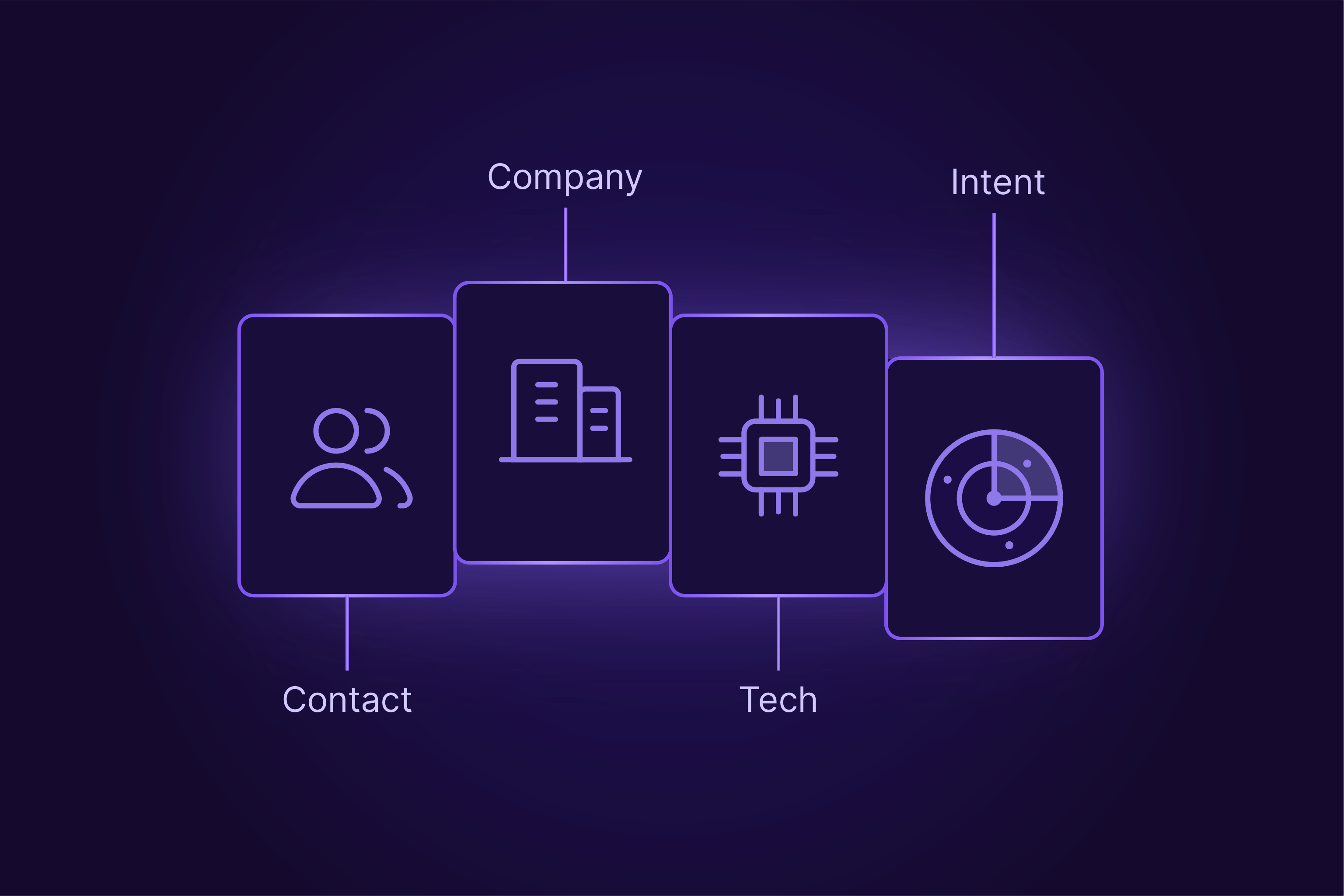
B2B data is commonly grouped into standardized categories used across sales, marketing, and analytics systems. Firmographic data helps define your ideal customer profile. Contact data enables direct outreach. Technographic data reveals what tools a company already uses. Intent data shows which accounts are actively researching or buying. Each type solves a different problem in the revenue workflow.
In this guide, we’ll break down the core B2B data types, explain what each one is for, and show how modern teams access them, so you know exactly what you’re buying and what actually makes it work.
B2B data types overview
Data type | Definition | Key fields | Primary use case |
Firmographic data | Firmographic data is company information that includes industry, size, location, revenue, and employee count. | Industry, revenue, headcount, and headquarters location. | ICP definition and account segmentation. |
Technographic data | Technographic data is information that shows the software, tools, and infrastructure a company actively uses. | CRM, marketing tools, cloud providers. | Technology-based targeting and competitive positioning. |
Funding & financial | Information on capital, investment history, and growth stage. | Funding rounds, total capital, investors, valuation. | Prioritizing accounts with budget and urgency. |
Hiring & headcount | Tracking employee growth and open roles over time. | Headcount growth %, hiring velocity, open roles by department. | Identifying growth trends and strategic priorities. |
Chronographic data | Chronographic data is event-based information that captures company changes such as funding, hiring, or acquisitions. | Funding rounds, job changes, expansions. | Timing outreach and trigger-based sales. |
Contact data | Contact data is individual-level information that includes names, job titles, verified emails, phone numbers, and profiles. | Name, role, email, phone number. | Direct outreach and lead engagement. |
Professional history | A record of a person’s past roles, employers, and timeline. | Past employers, start/end dates, education, certifications. | Tailoring messaging based on experience and context. |
Social & online presence | Public professional profiles and platform identifiers. | LinkedIn/Twitter URLs, public posts, social handles. | Multi-channel engagement and pre-call research. |
Organizational & role | Position, function, and seniority within the hierarchy. | Department, seniority level, reporting structure. | Mapping buying committees and influence paths. |
Intent data | Intent data is behavioral information that shows buying interest through content consumption and search activity. | Keyword searches, content views, topic surges. | Identifying in-market accounts. |
Behavioral data | Behavioral data is interaction data that records how contacts engage with websites, emails, and products. | Page visits, email opens, product usage. | Engagement scoring and personalization. |
Internal data | Internal data is first-party business information generated from customer, sales, and operational systems. | CRM records, transactions, support logs. | Performance analysis and forecasting. |
Market & competitor data | Market and competitor data is external information about industry trends and competing companies. | Market size, pricing benchmarks, competitors. | Market positioning and strategy. |
Demographic data | Demographic data is personal background information describing individual attributes such as skills, education, and experience. | Education, seniority, location, and skills. | Audience profiling and messaging. |
Types of company data
Company-level data describes what a business is, how it operates, and where it is heading. It underpins nearly every B2B decision, because before you choose who to contact or when to reach out, you need clarity on which companies are worth targeting in the first place.
This information powers targeting, qualification, and prioritization. Revenue teams use it to define Ideal Customer Profiles (ICPs), build account lists, route inbound leads, and decide which opportunities deserve immediate attention. While vendors package these insights differently, most company intelligence fits into a small, consistent set of categories.
Below are the core types of company data you’ll encounter and how each one is used in practice.
Firmographic data
Firmographic data is company information that includes industry, size, location, revenue, and employee count. Teams use firmographics for ICP definition, account segmentation, and territory planning.
Firmographics describe the structural attributes of a business. They answer the most basic question in B2B targeting: who is this company? These fields are usually the first filters applied when building a market or qualifying leads.
Common firmographic attributes include:
Industry or sector classification.
Employee count or size band.
Annual revenue range.
Headquarters and operating locations.
Founding year and legal structure.
These data points help teams define their Ideal Customer Profile and segment their Total Addressable Market (TAM). For example, filtering for ‘manufacturing companies with 200–500 employees in the Midwest’ can instantly narrow thousands of prospects into a focused, workable account list.
Firmographics change slowly, but they do change. Employee counts grow, companies expand geographically, and revenue bands shift. Most B2B data providers refresh this data every 14–30 days, so freshness still affects accuracy and downstream decisions.
Technographic data
Technographic data is information that shows the software, tools, and IT infrastructure a company uses. Marketing teams use technographics to target accounts using complementary or competing technologies.
If firmographics explain who a company is, technographics explain how it operates day to day. This data maps the technology stack a business relies on, from core systems to supporting tools. Companies can also use technographic insights to identify opportunities to optimize cloud costs by evaluating the efficiency and overlap of their existing software and infrastructure tools.
Typical technographic coverage includes:
CRM and marketing automation platforms.
Cloud providers and hosting infrastructure.
Analytics, data, and monitoring tools.
Developer frameworks and productivity software.
Technographics matter because technology choices often signal buying intent. A company using a competitor’s product may be open to switching. A company using a complementary tool may be a strong integration fit.
Common approaches for technographic data collection include scanning website code for scripts and tracking pixels, analyzing job postings for required technical skills, and parsing press releases or documentation for partnership mentions.
The key difference between firmographic and technographic data is depth. Firmographics define fit. Technographics reveal operational context and near-term opportunity.
Funding and financial data
Funding and financial data is information about a company’s capital, investment history, and growth stage. Sales Development Representatives (SDRs) use funding data to prioritize accounts with budget and urgency.
This category includes funding rounds raised, total capital, investor participation, and, when available, estimated revenue or valuation. These signals indicate who a company is and what it can afford.
A recent Series B often signals budget availability and pressure to scale. Companies at this stage are more likely to invest in new tools, hire aggressively, and reassess existing vendors. For sales and partnerships, that timing is critical.
Funding data helps teams focus effort on accounts that are both a good fit and financially ready to buy.
Hiring and headcount data
Hiring and headcount data tracks employee growth and open roles over time. Investors use hiring data as a proxy for growth and strategic focus.
This dataset captures changes in total employee count, hiring velocity, and open positions by department. Growth patterns often reveal internal priorities before they appear in press releases or earnings reports.
Key signals include:
Percentage headcount growth over a defined period.
Volume of open roles across teams.
Department-specific hiring trends.
For example, a company adding 15% headcount in six months is signaling expansion. A surge in engineering roles suggests product investment, while increased sales hiring points to go-to-market scaling. These insights help tailor messaging to what the company is actively building.
News and event data
News and event data is event-based information that records significant company changes over time. Also known as chronographic data, this category includes product launches, executive hires, office expansions, mergers, and acquisitions. These moments create natural windows for engagement.
Examples of high-impact events include:
A new VP of Sales joining the company.
An acquisition that changes the product roadmap.
An office expansion into a new region.
A new executive often re-evaluates vendors within their first 90 days. Reaching out with awareness of that change makes outreach relevant rather than generic. Event data loses value quickly, so speed and freshness directly affect its usefulness.
Types of people data
People data, sometimes called contact data or B2B prospect data, focuses on individual professionals within companies. It supports personalized outreach, accurate routing, and buying committee mapping. Without it, even the best account list stalls because no one knows where to engage.
Below are the core types of people data that power modern B2B outreach.
Contact data
Contact data is individual-level information that includes names, job titles, verified emails, phone numbers, and social profiles. Sales teams use contact data for direct outreach and relationship building.
Contact data answers a simple question: how do I reach this person? The essential fields are limited, but critical.
The basics include:
Full name.
Current job title.
Verified business email address.
Direct phone number, where available.
Accurate contact data is the foundation of any outbound or inbound follow-up. Without a working email or phone number, even perfect targeting cannot convert into a response.
Quality and freshness matter more than volume here. A single verified email that reaches the inbox is more valuable than a list of ten addresses that bounce. If the data refresh cycle is 14-30 days, stale contact data can become the most common failure point in outreach.
Professional history
Professional history is a record of a person’s past roles, employers, and career timeline. Marketing teams use professional history to tailor messaging based on experience and context.
This dataset goes beyond the current title. It includes complete work history with company names, job titles, and start and end dates, along with education, certifications, and listed skills.
Start and end dates are especially important. Many providers omit or approximate them, but accurate dates enable correct sequencing and timing. Knowing when someone changed roles can matter as much as knowing what role they hold today.
Social and online presence
Social and online presence data links individuals to their public professional profiles and platforms. Sales teams use social identifiers for multi-channel engagement and research.
This category includes profile URLs and handles tied to a person’s public activity. These identifiers support outreach beyond email. Teams may:
Send a connection request before emailing.
Engage with recent posts to warm up an interaction.
Research public opinions and interests before making a call.
This data is particularly useful for senior executives. Many executives ignore email outreach due to high inbox volume but remain active on social platforms, making multi-channel approaches more effective than inbox-only strategies.
Organizational and role data
Organizational and role data describes a person’s function, seniority, and position within a company. Outreach teams use org data to map buying committees and influence paths.
This dataset categorizes individuals by department, seniority level, and reporting structure. Typical dimensions include sales, marketing, engineering, finance, and operations, along with levels such as C-suite, VP, director, manager, or individual contributor.
Organizational context helps teams identify all the budget holders, influencers, end users, and potential blockers involved in a decision. Knowing that someone reports to the CFO versus the CTO directly affects how you frame value and risk.
Effective B2B outreach depends on understanding both who signs and who influences. Organization and role data provide that map, turning isolated contacts into a clear buying group.
Intent data
Intent data is behavioral information that shows buying interest through content consumption and search behavior. Revenue teams use intent data to prioritize accounts actively researching solutions.
Unlike firmographic or contact data, intent data does not describe who a company is. It describes what that company is doing. Specifically, it captures signals that suggest active interest in a category, product, or problem, often weeks or months before a buyer talks to a vendor.
Intent data comes from two primary sources, and each serves a different role.
First-party intent data is generated from your own properties. This includes actions like visits to your website, repeat views of pricing pages, webinar attendance, or content downloads. These signals are precise, but limited to companies already touching your brand.
Third-party intent data expands visibility beyond your site. Specialized providers aggregate behavioral signals from publisher networks, review platforms, and content hubs to infer what companies are reading and researching across the web. This reveals interest even when buyers remain anonymous.
Most third-party providers calculate intent using:
Topic-level tracking based on content consumption.
Historical baselines for each company.
“Surge” scores when activity spikes above normal levels.
For example, a company consuming significantly more content about “CRM software” than usual is likely evaluating solutions. This activity happens in the so-called dark funnel, where buyers research quietly before contacting sales.
Intent data works best when layered with firmographic and contact data. Together, they answer two critical questions at once: Who fits your ICP, and who is actively looking today?
How do you access B2B data?
At a high level, B2B data is accessed through two primary methods: platform-based interfaces and direct API access. Both offer similar information, but serve very different use cases.
Platform access is designed for speed and ease of use. Most tools offer dashboards, CRM integrations, and browser extensions. You log in, run searches, and export lists. In many cases, you can click an “enrich” button inside your CRM to fill missing fields. This approach works well for sales teams, small operations, and anyone who wants fast results without engineering effort.
API access is built for control and automation. Instead of clicking through a UI, your systems make requests directly to the B2B data API provider. You can enrich records in real time, trigger workflows when data changes, and embed B2B data directly into your product or internal tools. This approach is common for RevOps teams, data teams, and platform builders.
Enrichment APIs
Enrichment APIs return additional data when you already know who or what you’re targeting. Companies can use data enrichment to fill gaps in existing records.
Enrichment is used when you start with an identifier and want more context. You might submit a social URL, a business email address, or a company domain, then receive structured data in response.
A typical people enrichment request can return 50–200 fields, depending on your B2B data provider. For example, Crustdata provides 90+ data points per prospect. These often include current and past roles, verified contact details, social profiles, skills, and education. Company enrichment typically returns firmographics, technographics, funding history, hiring trends, and recent events in a single response.
The key distinction here is how the data is sourced. Some providers return cached records that are last updated weeks ago. Real-time enrichment fetches data live at the moment you request it, even if that means a short delay of one to five minutes. That trade-off matters when accuracy and freshness drive automation.
Search APIs
Search APIs return lists of people or companies that match a defined profile. Sales and marketing teams use search when they know the criteria but not the specific targets.
Search is discovery-based access. Instead of submitting a known identifier, you describe what you are looking for. Filters commonly include job title, industry, location, headcount range, funding stage, and tech stack.
For example, you might search for all VPs of Engineering at Series B fintech companies in New York with 50–200 employees. The API returns matching profiles that fit those constraints.
Some providers limit searches to pre-indexed databases. Others, including Crustdata, can search the web in real time. Real-time search enables niche or uncommon queries that may not exist in static datasets, at the cost of slightly longer response times.
In practice, enrichment APIs support precision, while search APIs support scale. Advanced workflows use both to move from targeting to execution without manual handoffs.
How fresh should B2B data be?
B2B data freshness determines outreach success. Intent signals need daily or real-time updates for effective outreach. Crustdata aggregates from 10+ data sources to ensure accuracy at the moment of request.
Get real-time B2B data with Crustdata
Understanding B2B data types is the first step. Acting on them before they go stale creates an advantage.
Crustdata delivers API-first access to real-time company and people data. Instead of relying on monthly snapshots labeled as “fresh,” Crustdata returns data that reflects the current state of the web at the moment you request it. This gives you an upper hand when roles change, teams grow, and buying signals appear without warning.
We work closely with teams building AI-powered products who need data to plug cleanly into real workflows. Real-time webhooks (automated notifications sent when data changes) and consistent JSON schemas make integrations faster and more predictable, reducing edge cases that slow teams down later. For revenue teams, we know timing matters. Learning about a prospect’s job change within hours, rather than discovering it in a 14–30 day refresh cycle, can be the difference between relevant outreach and a missed window.
The platform aggregates data from 10+ sources, offers flexible search with 60+ filters for precise discovery, and applies intelligent entity resolution, so variations like “OpenAI” and “Open AI” resolve to the same company automatically. This reduces duplicates, conflicts, and cleanup work downstream. With our Watcher API, you can monitor real-time updates on job changes and company events as they occur, triggered by customizable criteria.
If you’re evaluating how to bring fresher B2B data into your prospecting, enrichment, or monitoring workflows, a short walkthrough can help. Book a demo to see how real-time data from Crustdata fits into your stack from day one.



Products
Popular Use Cases
Competitor Comparisons
95 Third Street, 2nd Floor, San Francisco,
California 94103, United States of America
© 2026 Crustdata Inc.
Products
Popular Use Cases
Competitor Comparisons
95 Third Street, 2nd Floor, San Francisco,
California 94103, United States of America
© 2026 CrustData Inc.
Products
Popular Use Cases
Competitor Comparisons
95 Third Street, 2nd Floor, San Francisco,
California 94103, United States of America
© 2026 Crustdata Inc.