APIs

Technographic data
Technographic data API for any company’s tech stack



















What is technographic data?
Technographic data is the set of technologies, tools, and platforms a company uses, such as its CRM, cloud provider, and analytics stack. Crustdata’s technographic data API returns a company’s tech stack in one call. Each technology comes with the sources it was detected from (web signals or job postings), its category and the posting behind it. Sales and marketing teams use it to find accounts where their product fits the stack already in place.
What are examples of technographic data?
Examples of technographic data include a company’s CRM, cloud provider, data warehouse and the frameworks its engineers use. Crustdata maps every tool to a category, such as frontend-frameworks or cloud-platforms-iaas, and to one of twelve super-categories. Six of the twelve, with tools they cover:
| Super-category | What it tells a seller |
|---|---|
| `sales-marketing` | Which CRM your integration has to support |
| `cloud-infrastructure` | Where the product is hosted and which cloud partners matter |
| `data-analytics` | Whether there is a data warehouse your product can plug into |
| `languages-frameworks` | Which stack a developer tool has to fit |
| `engineering-devops` | How the engineering team builds and ships software |
| `ecommerce-payments` | How the company sells online and takes payments |
The other six are collaboration-productivity, customer-success-support, data-ml-platform, finance-operations, hr-workforce and security. You can filter Company Search on a tool, a category or a super-category.
What is the difference between technographic and firmographic data?
Firmographic data describes what a company is, and technographic data describes the tools it uses. Firmographics size the market. Technographics show which accounts inside it fit your product.
| Technographic data | Firmographic data | |
|---|---|---|
| What it describes | Tools, platforms and languages a company uses | Size, industry, location and funding |
| Example | Uses Snowflake and React | 500 employees, software, based in the USA |
| Question it answers | Does this account fit our product technically? | Is this account the right size and market? |
| In Crustdata | `technographics` field on Company Enrich, `technographics.*` filters in Company Search | `basic_info`, `headcount`, `funding` and `locations` fields |
Technographic and firmographic fields are on the same Crustdata company record, so one Company Search call can ask for US companies that use Snowflake.
How is technographic data collected?
Crustdata collects technographic data from two independent sources, a company’s web presence and its job postings. A tool can be found by either source or by both, and the sources array tells you which:
Web signals. These come from the company’s web presence and pick up the tools a visitor can see, like front-end frameworks and social platforms. A dedicated website scanner will usually list more front-end tools.
Job postings. These come from the technologies a company names in its open roles. They catch back-end and internal tools that rarely show on a website, like a data warehouse or a container platform, and
posting_countsays how many postings named the tool.
A detection is a signal that a company uses or is hiring for a tool. It is no proof of a paid contract, so read the evidence before you build a campaign on one tool.
How accurate is technographic data?
Technographic data is as accurate as the evidence behind each tool. Crustdata returns that evidence with every detection, and each entry has its source and a confidence score. Job-posting evidence also has the posting’s link, role title and posted date, so you can open the role and check it yourself. A tool seen on the website and in several postings has more behind it than a tool seen once.
How often is technographic data updated?
Crustdata refreshes technographic data every 1 to 30 days. The updated_at timestamp on each company shows when its tech stack was last refreshed as a whole. Single technologies carry no date of their own, so a tool from an older posting looks the same as one from last week. Read posted_at on the job-posting evidence to see how recent that signal is.
Traceable to source
Every technology our API returns has a sources field showing where it was seen, web signals or job postings. Each one also carries evidence entries with a confidence score, and job-posting evidence includes the posting’s link, role title and date.
Technographic data API endpoints
Get a company’s tech stack
Request
{
“domains”: [“hubspot.com”],
“fields”: [“technographics”]
}
Response excerpt
{
“company_data”: {
“technographics”: {
“total_technologies”: 32,
“top_technologies”: [“AngularJS”, “Cloudflare DNS”, “Salesforce”],
“technologies”: [{ “name”: “AngularJS”, “category”: “javascript_frameworks”, “sources”: [“web signals”] }],
“updated_at”: “2026-07-03T04:19:03Z”
}
}
}
Find every company using a technology
Request
{
“filters”: {
“op”: “and”,
“conditions”: [{
“field”: “technographics.technologies.name”,
“type”: “in”,
“value”: [“Salesforce”]
}]
},
“fields”: [“crustdata_company_id”, “basic_info.name”, “basic_info.primary_domain”]
}
How do I call the technographic data API?
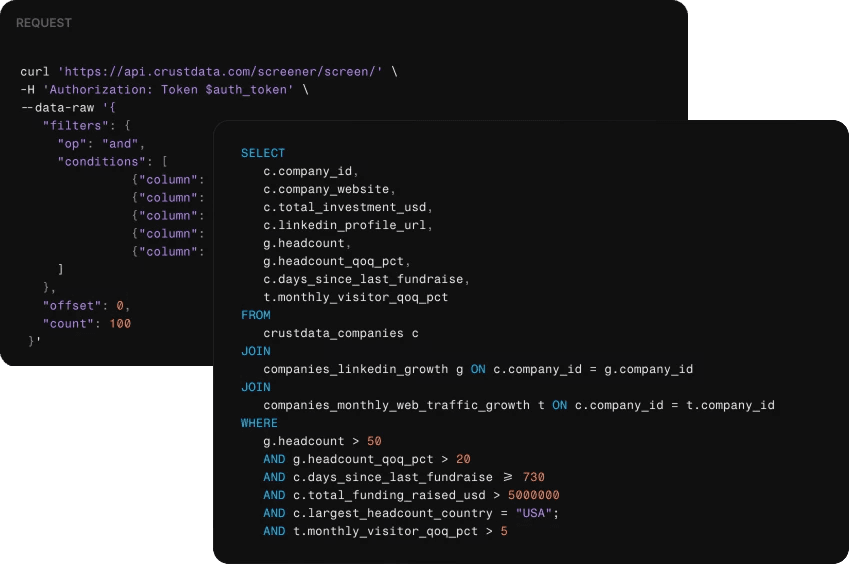
Crustdata’s technographic data API works through two endpoints you may already use, Company Search and Company Enrich:
Get an API key and check that technographics is turned on for your account with the permissions endpoint.
Call Company Search with a
technographics.*filter to build a list of companies that use a tool.Call Company Enrich with
fields: [“technographics”]to read the full stack and its evidence for the companies you picked.
What do the full API requests look like?
The full requests below show the endpoint, your API key and the version header, with a Stripe enrich call and a search for US companies that use Snowflake. Both follow the technographics guide in Crustdata’s docs:
The search puts Snowflake and the country in one and group, so it returns US companies that use Snowflake. Company Search filters on technographics but never returns the values, so enrich the companies you pick to read their stack.
What does a job-posting detection look like?
A job-posting detection comes back with the posting behind it and a confidence score. The evidence also has the role title, the link and the posted date. This excerpt from the docs example shows React at stripe.com:
React was found in two places, the company’s web presence and 3 of its job postings. The posting evidence points to a Software Engineer role posted on 25 June 2026, so a rep can open that role before writing to the account.
Company Enrich returns up to 500 technologies per company, ordered by notability, and total_technologies gives the full count. To check whether a company uses a niche tool, filter for it in Company Search, which matches against the whole stack.
How much does Crustdata technographics cost?
Crustdata technographics adds 2 credits per company on Company Enrich, on top of the base 2 credits. A company record with its tech stack costs 4 credits. These amounts are beta pricing and may change. Every amount is on the pricing page in the docs:
Company Enrich: Each company costs 2 credits, plus 2 more when it returns technographics data. Companies with no technographics data are not charged the add-on.
Batch Company Enrich: The pricing is the same as Company Enrich, add-on included, on enterprise plans.
Company Search: Each result costs 0.03 credits, plus 1 credit per result when you filter on technographics. Sorting is free.
Job Search: Each result costs 0.03 credits, with no add-on for technology filters.
Technographics is an add-on that is turned on per account. Check yours with the permissions endpoint, or book a demo to have it enabled.
Put technology signals to work
Find a competitor’s customers
Target users of a partner tool
Reach must-have-technology users
Enrich accounts with tech-stack data
Find teams hiring for a stack
Job Search filters postings by the technologies each one names, such as Snowflake or dbt.
API and MCP access
Crustdata’s technographic data is available via the REST API and via its MCP server. An AI agent can read a company’s tech stack in one tool call. Use the REST API for pipelines and the MCP server for agent workflows.
Frequently asked questions
The tools a company uses tell you which integrations matter and where your product fits in its workflow. Prioritize outbound for companies using complementary tools, and tailor messaging to the tools they already use.
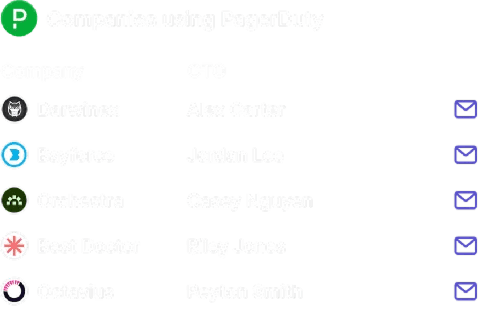
Knowing the tools a target account uses lets you personalize an ABM campaign. Group accounts by a shared tool, then match landing pages and outbound sequences to the stack each account uses.
We read the technologies a company names in its job postings, so you can see which tools it hires for. Each detection keeps the postings behind it, with the role title, link and date.


Technographics comes back on the same Company Enrich call as headcount, funding and industry. In Company Search, you can combine a technology filter with any of its 95+ filters in one request.